Google Nano Banana, now called Gemini 2.5 Flash Image, leads in AI image generation and editing. It serves creators, marketers, and digital artists. This guide offers expert tips to help beginners and pros maximize its features. The model enables fast, natural language edits and multi-image blends. It delivers high-quality, consistent results quickly. Thus, it makes creative work faster and easier.
Build Consistent Worlds from a Single Image
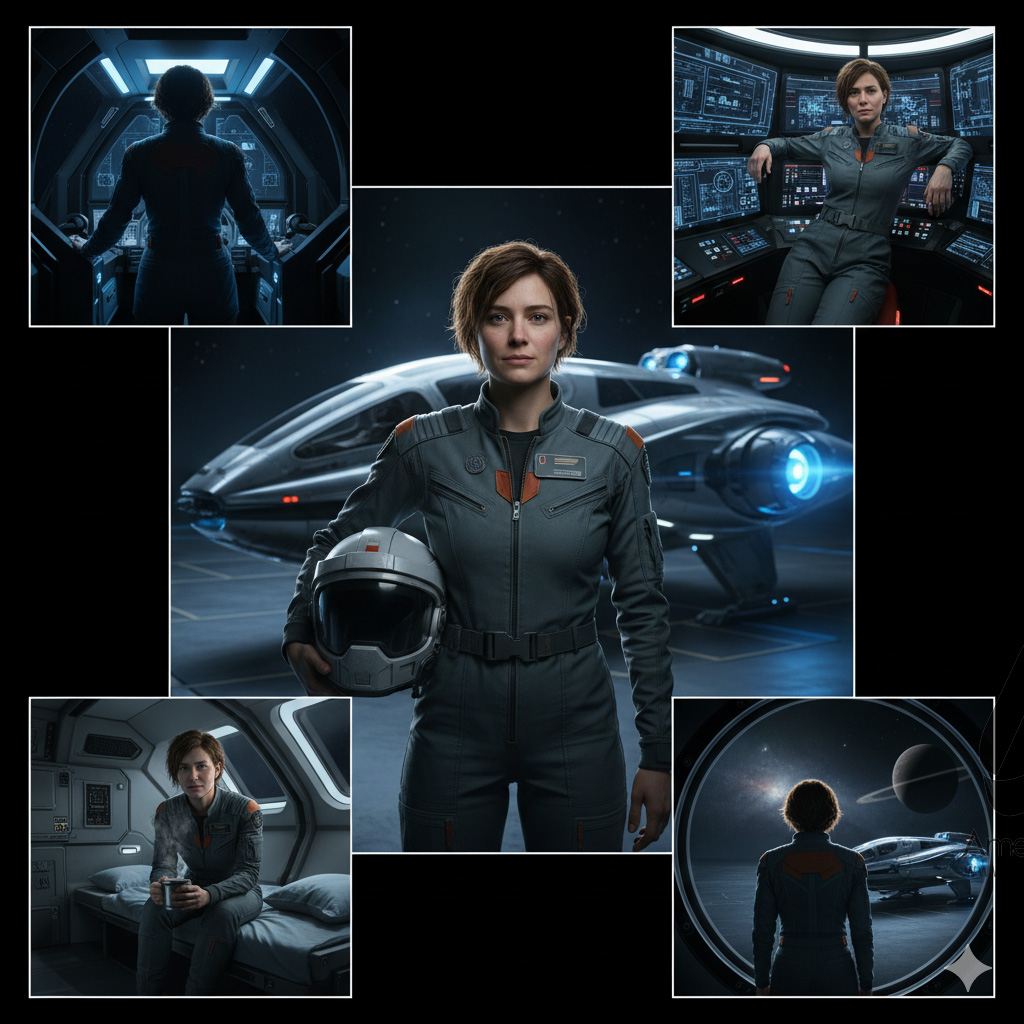
Nano Banana excels in building out consistent universes from just a single photograph. For storytelling or character development, start with one photo—for example, a pilot in front of a spacecraft—and prompt the model to generate a wide array of scenes: climbing into the cockpit, leaning on objects, or resting after a long day. Unlike other models, Nano Banana preserves the subject’s identity and contextual elements, enabling seamless world-building from minimal input.
Removing Watermarks & Platform Access
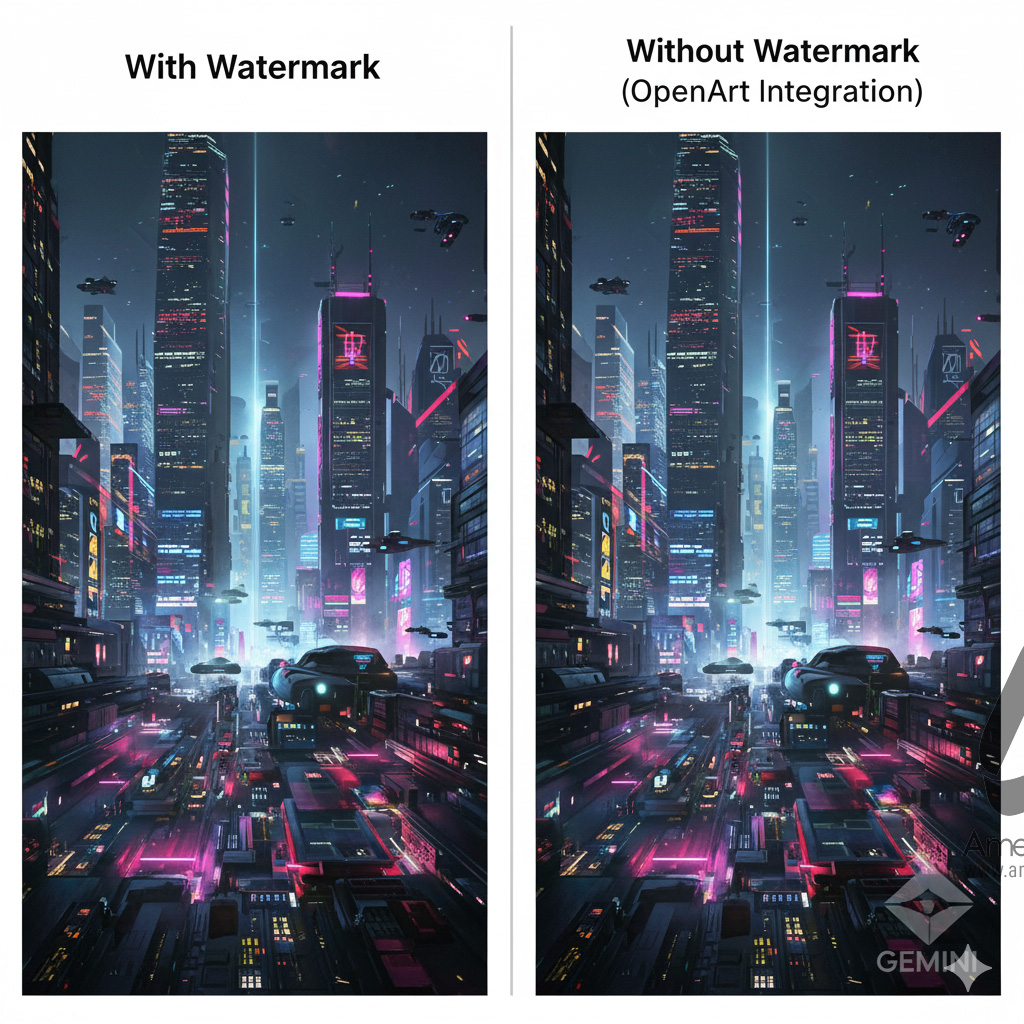
When using Google Gemini or AI Studio, Nano Banana images contain a subtle diamond-shaped watermark. For watermark-free creations, the tip is to use external platforms such as OpenArt, which integrates Nano Banana and delivers clean images while supporting direct prompting and image uploads.
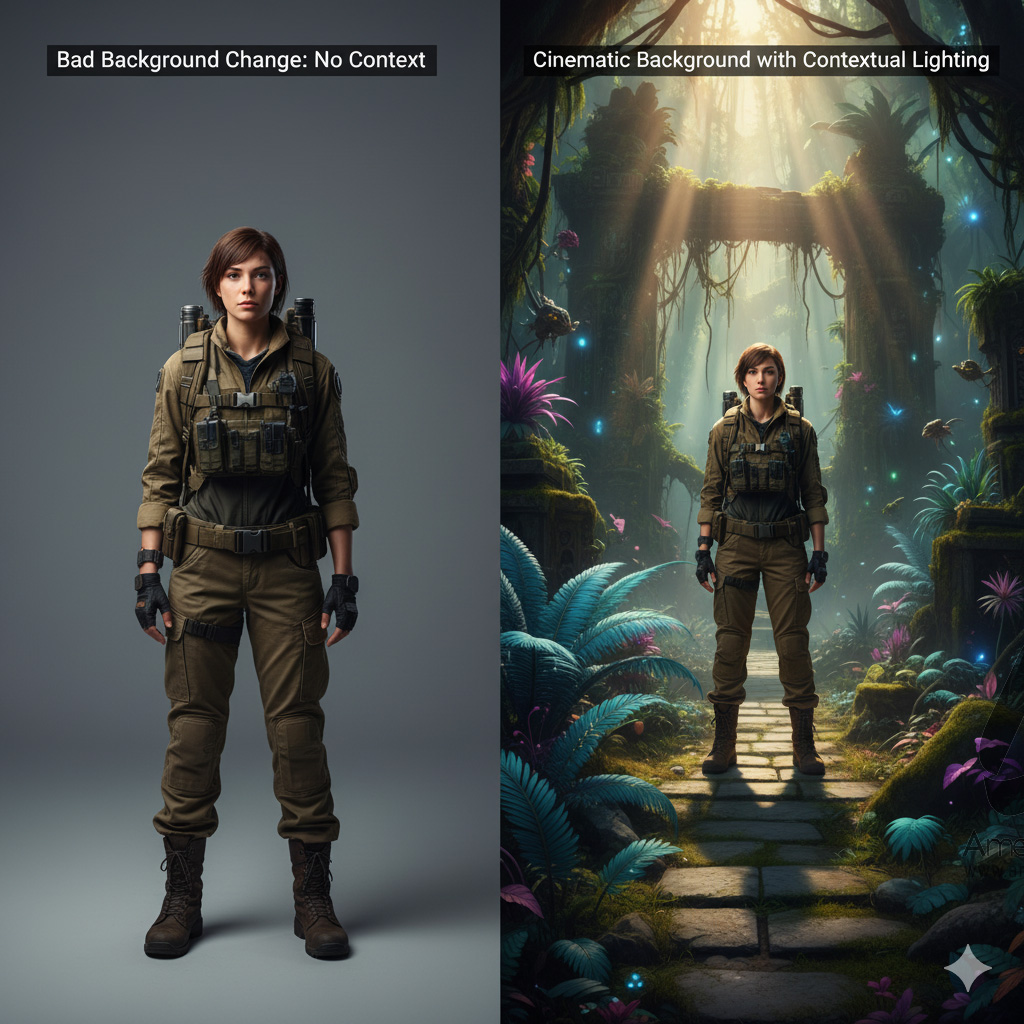
Background Editing: Quality Through Context
Simply requesting a background change often yields jarring, unrealistic results—a common beginner pitfall. To ensure synergy between subject and scene, prompts should provide context and intention: describe lighting, environment, and emotional tone. For example, rather than “change background to jungle,” specify “cinematic sci-fi film scene with temple ruins in a lush jungle; adjust lighting for realism.” This attention ensures matching shadows, highlights, and atmosphere for a photorealistic result.
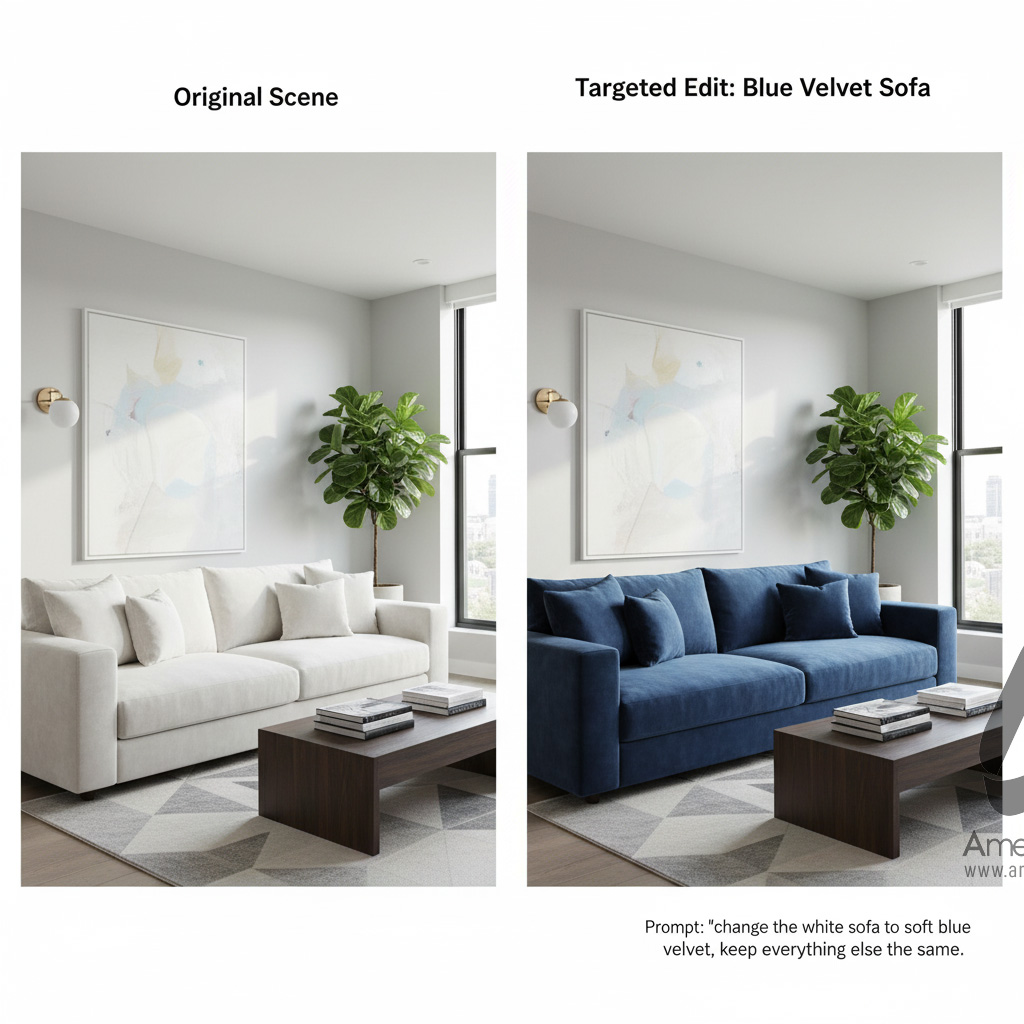
Master Segmentation Masks for Targeted Edits
Nano Banana’s AI identifies individual scene components—like backgrounds, objects, and body parts—using segmentation masks. To edit just one item (such as turning a white sofa blue), precisely prompt the model by referencing the specific object and attribute, like “change the white sofa to soft blue velvet, keep everything else the same.” Understanding segmentation unlocks ultra-targeted, professional-looking results.
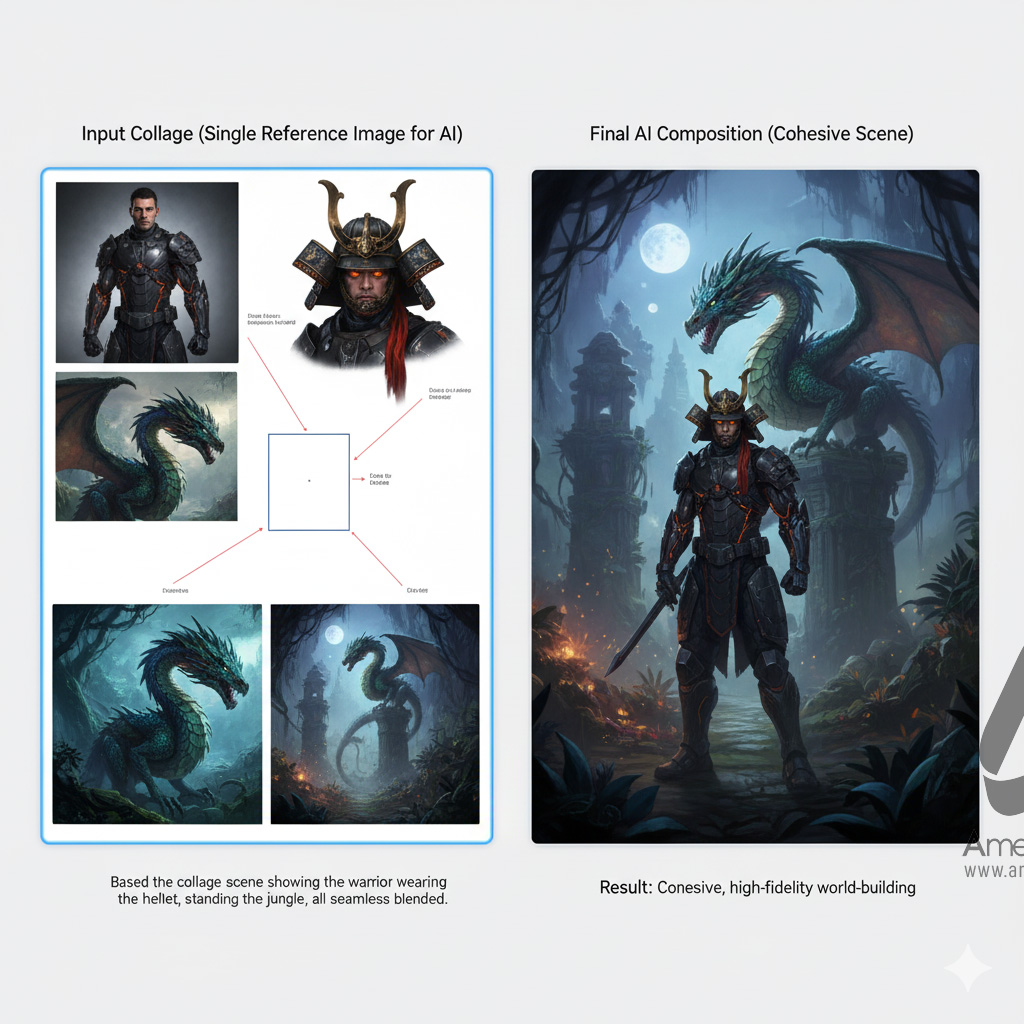
Combining Multiple Images: The Collage Hack
AI models, including Nano Banana, struggle as complexity increases—combining multiple references can degrade quality when not handled carefully. The “Collage Method” tackles this: assemble all character, object, and background references into a single image. Upload this collage as the base, then prompt Nano Banana for your final composition. This approach ensures lighting, pose, and context match, resulting in images that look cohesive and vibrant, even with multiple elements present.
Aspect Ratio Control and Outpainting
By default, Nano Banana respects the aspect ratio of input images. To create images in a preferred format (vertical or landscape), prepare reference photos that already fit your intended ratio, or merge vertical shots into a horizontal canvas pre-upload. Outpainting—extending an image beyond its borders—can be performed by placing your subject on a larger blank background and instructing Nano Banana to expand it, filling in whitespace smartly in alignment with your creative direction.

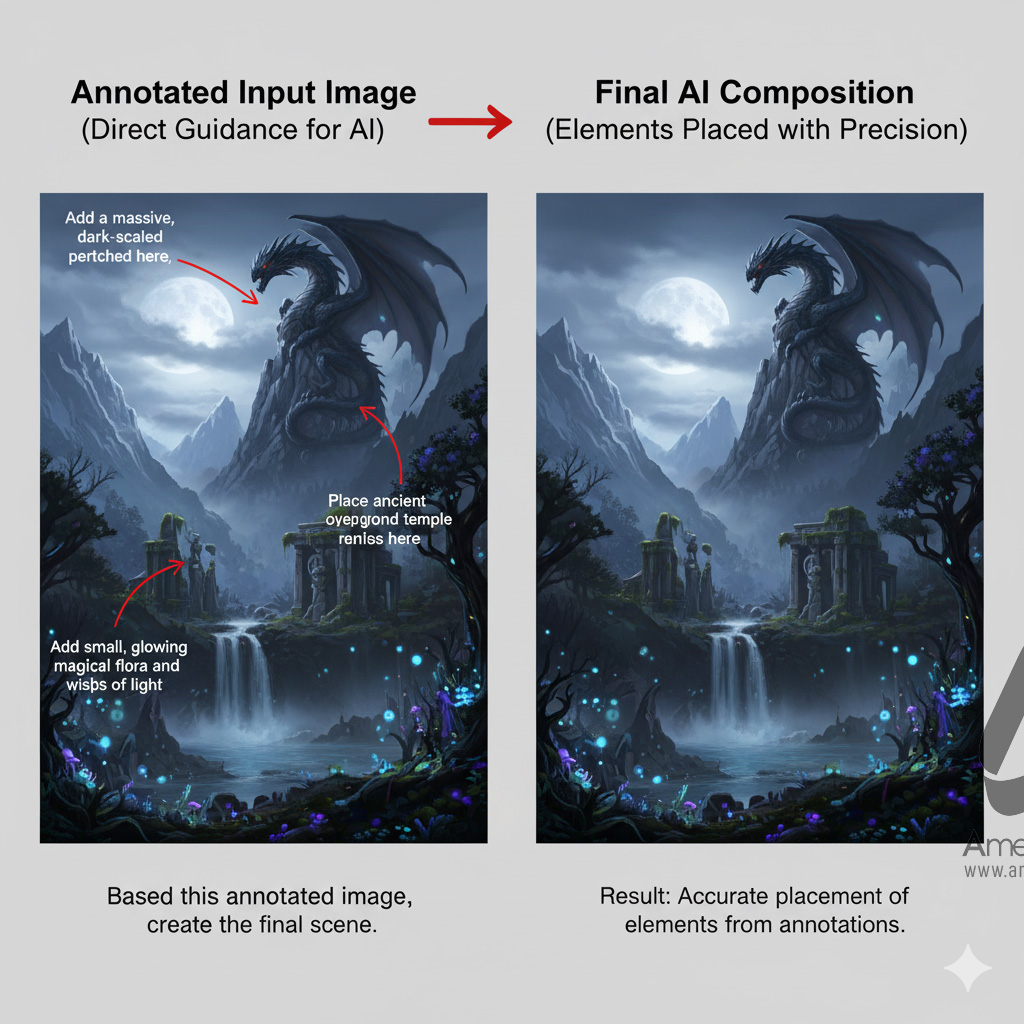
Annotation: Direct Image Guidance
For granular control, annotate your reference image with text, arrows, or visual notes indicating where new objects or scenery should appear. Nano Banana reads these cues and places elements like temples, dragons, or props precisely as indicated. Further control is gained by supplementing annotation with additional reference images (such as a specific dragon or piece of architecture), which the AI integrates into the output for superior accuracy.
Lighting Adjustments and Mood Shifts
Mood and atmosphere are essential in digital art. Prompt Nano Banana to alter lighting—add a golden glow, soften shadows, or inject vibrant colors. Specify exact lighting scenarios (“golden sunlight, soft shadows,” or “bright blue sky, saturated colors”) and watch the AI transform ambiance, create new moods, or correct awkward highlights without compromising realism.

Logos, Text, and Brand Integration
Nano Banana can place props, text, or logos onto objects, such as spray-painting a logo on a vehicle. Provide a reference of your logo and specify placement, color adjustments, and lighting to maintain a natural, professionally branded appearance. Edits can include changing logo text mid-design or extending it to match product requirements, providing huge flexibility for marketers and business owners.

Camera Angles and Scene Continuity
Experiment with photography terms in prompts to generate consistent shots from various angles—close-ups, low angles, high views, side profiles, or shots from behind. Use specific language about character pose, camera position, and desired objects for continuity and more cinematic compositions. For complete scene rotation or overhead shots, refine prompts to adjust backgrounds and structure, overcoming minor model quirks.
Seamless AI Video Creation
By stitching together multiple Nano Banana scenes with consistent characters and settings, users can generate AI video transitions. Platforms like OpenArt’s video generator allow for start-and-end frame selection, guiding the model to create smooth narrative transitions—rotating the camera, showing movement, or visualizing scene progression for storytelling or animation projects.
Pro Tips for Next-Level Results
- Iterate and Refine: Nano Banana thrives on iteration; adjust prompts if the first result is off, specifying close-ups, details, or corrections as needed.
- Context is Key: The more detailed the intent and setting, the higher the quality and coherence.
- Start Simple, Add Complexity: Begin worldbuilding with one image, then add complexity, combining elements through annotated collages for best results.
Nano Banana/Gemini 2.5 Flash Image stands out due to its balance between speed, intuitive controls, and creative flexibility. With expert tips, careful prompt engineering, and innovative techniques like collages and outpainting, anyone can go from beginner to AI image generation pro, producing visually consistent, on-brand, and mind-blowing results in record time.